
For games like Just Dance 2015 and Rock Band 3. You will need a computer for this and access to a terminal emulator.
Support for DLC has been added to some titles like Phoenix Wright: Ace Attorney and Mega Man 9.
The buttons are designed for x64. Please use these buttons instead.
It is recommended that you place it in Desktop or a folder on Desktop for easy access.
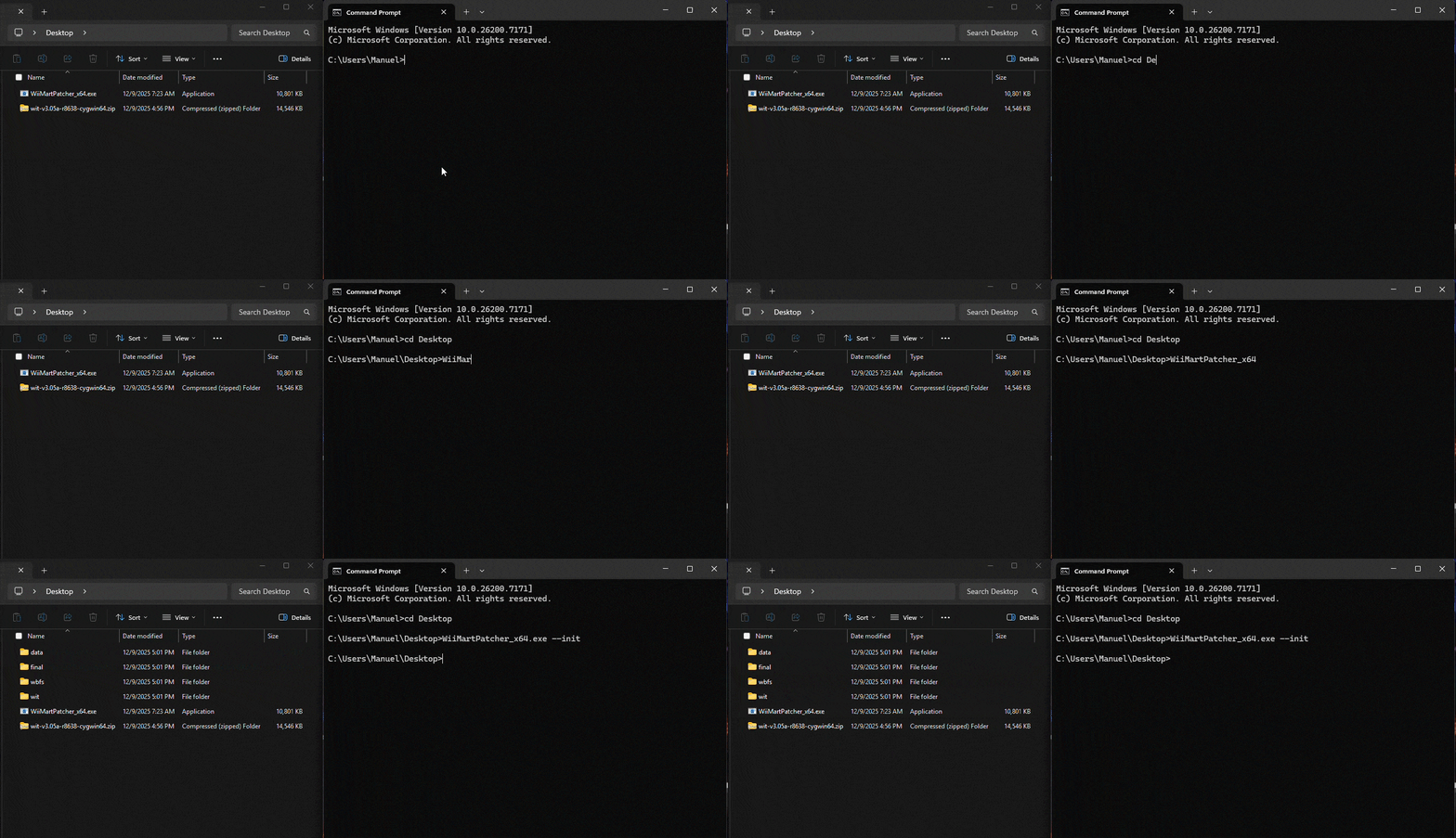
Start by initalizing the patcher, this will create the folders needed.
Enter WiiMartPatcher_x64.exe --init (or WiiMartPatcher_x86.exe --init ) to initialize.
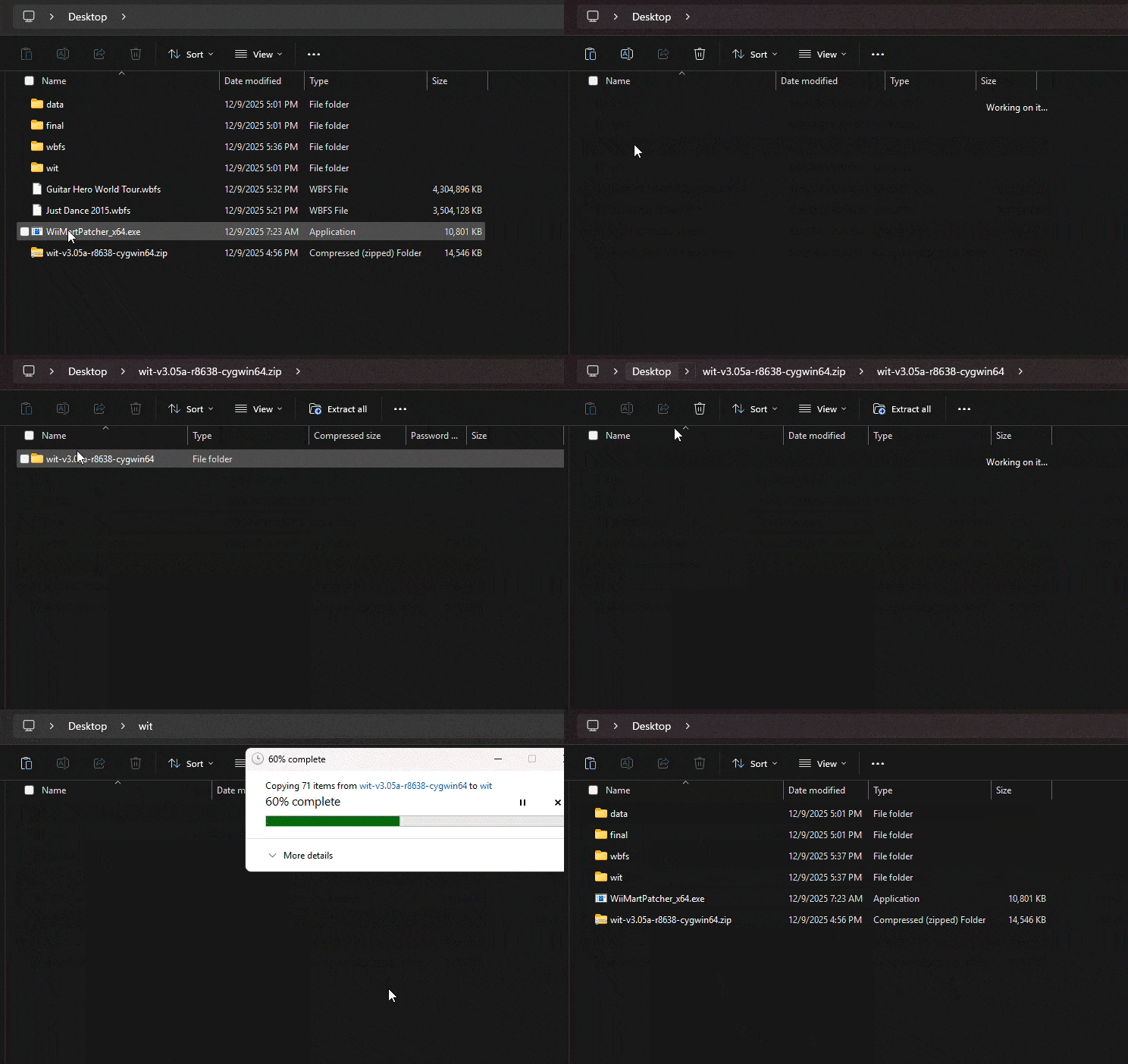
Place your game(s) in wbfs.
Inside of the WIT ZIP, copy the bin folder and take it to wit.
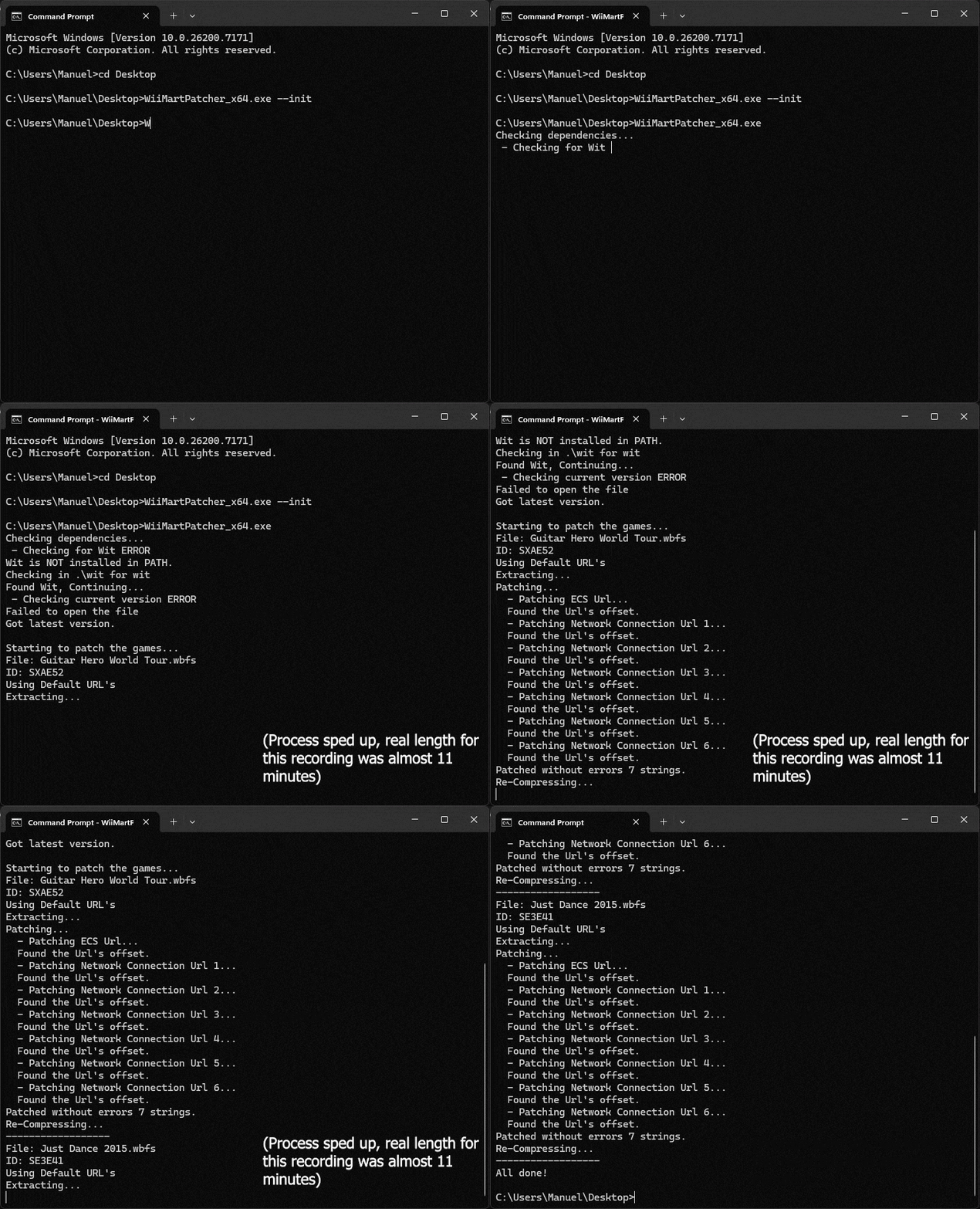
Run the patcher by entering WiiMartPatcher_x64.exe (or WiiMartPatcher_x86.exe ). It will take some time.
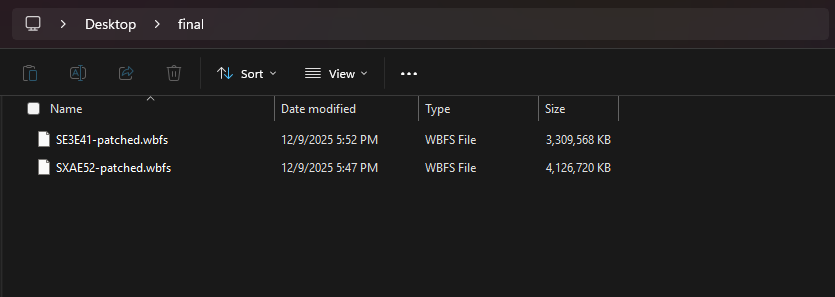
You will find your final WBFS files in the final folder. Take them to an external drive and use them in USB Loader GX, WiiFlow, etc.
See this guide on information on how to structure your files.
The buttons are designed for x64. Please use these buttons instead.
It is recommended that you place it in Desktop or a folder on Desktop for easy access.
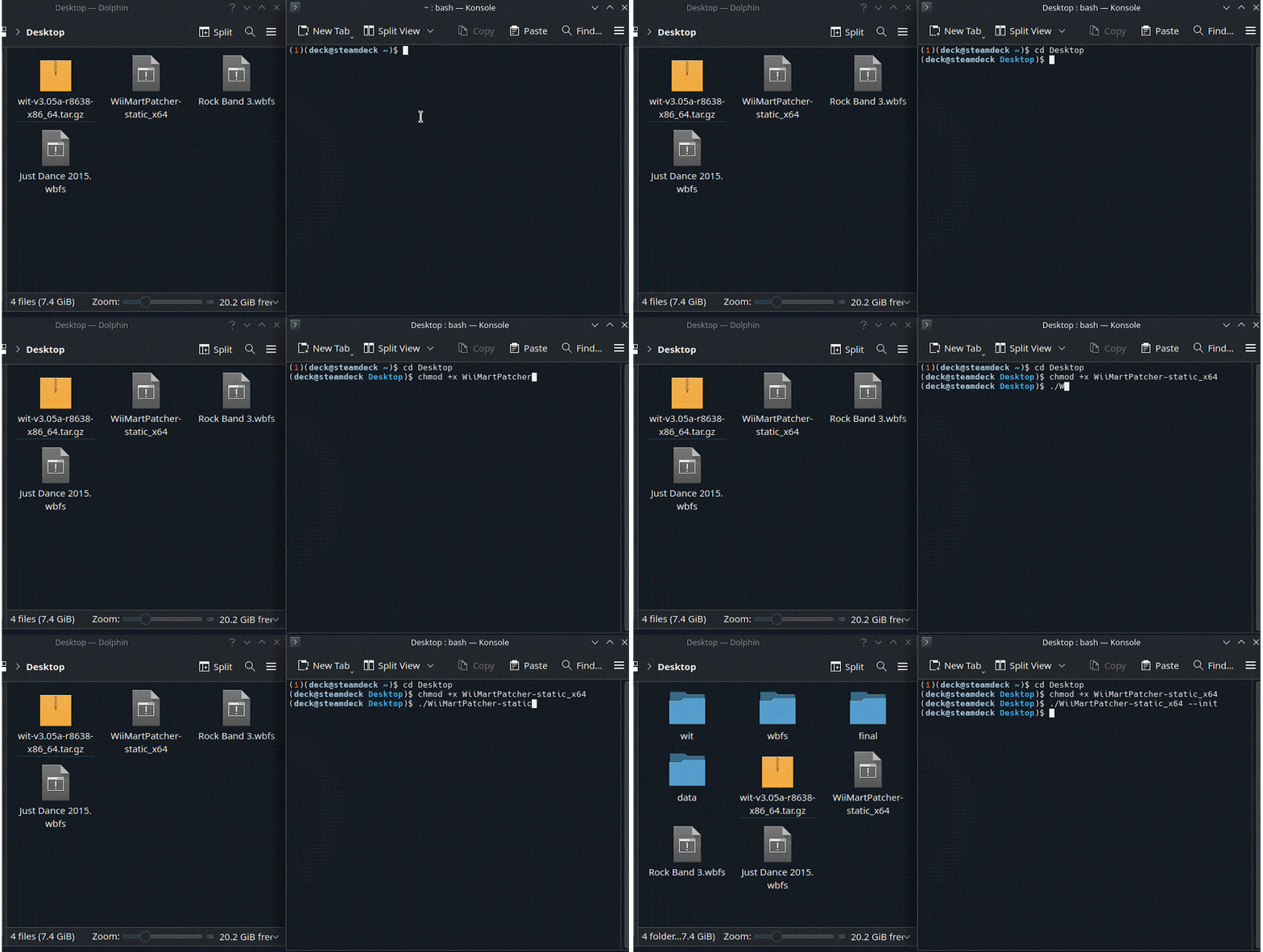
Start by initalizing the patcher, this will create the folders needed.
Enter chmod +x WiiMartPatcher-static_x64 (or chmod +x WiiMartPatcher-static_x86 ) to make the patcher executable.
Enter ./WiiMartPatcher_x64.exe --init (or ./WiiMartPatcher_x86.exe --init ) to initialize.
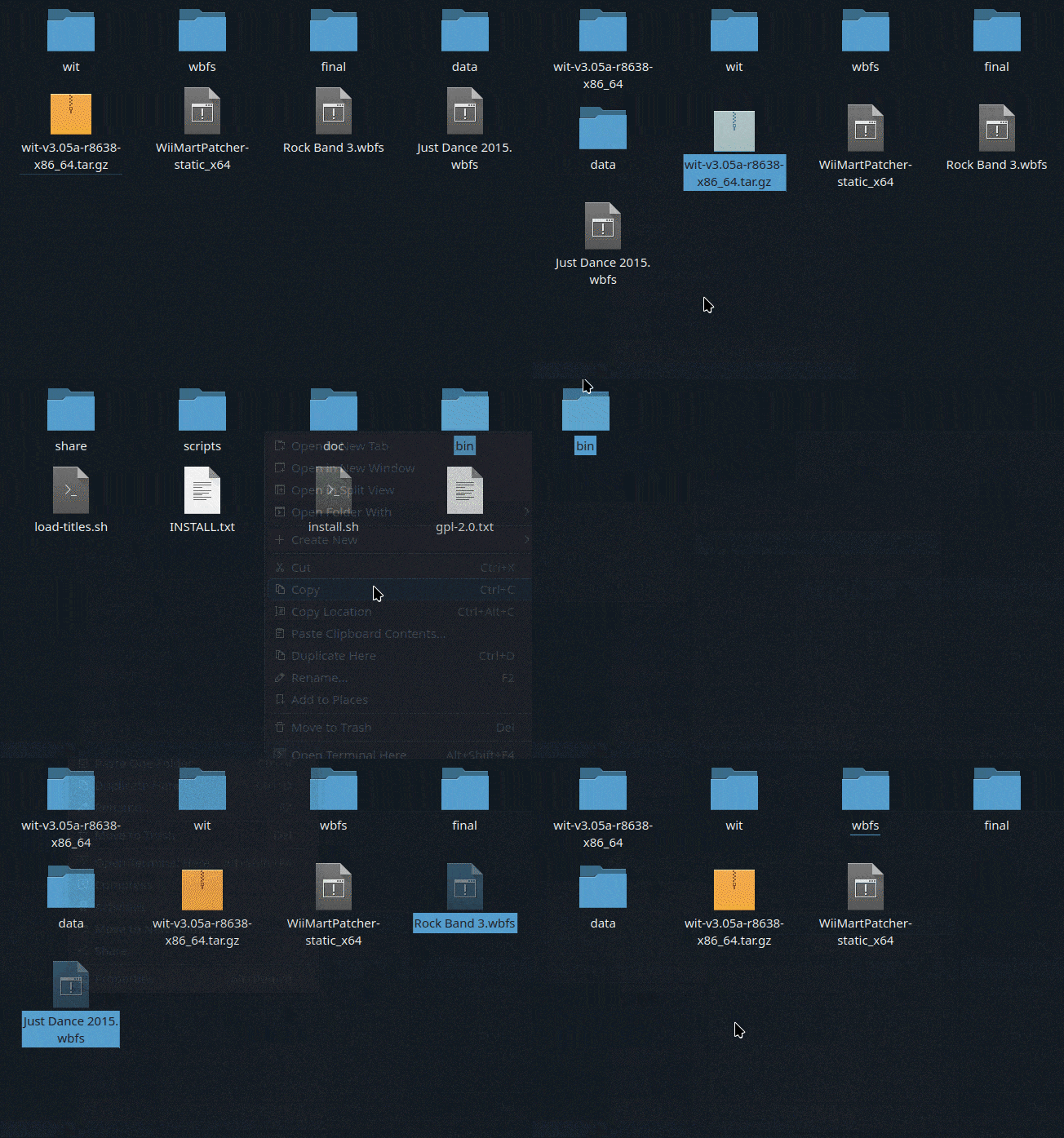
Inside of the WIT ZIP, copy the bin folder and take it to wit.
Place your game(s) in wbfs.
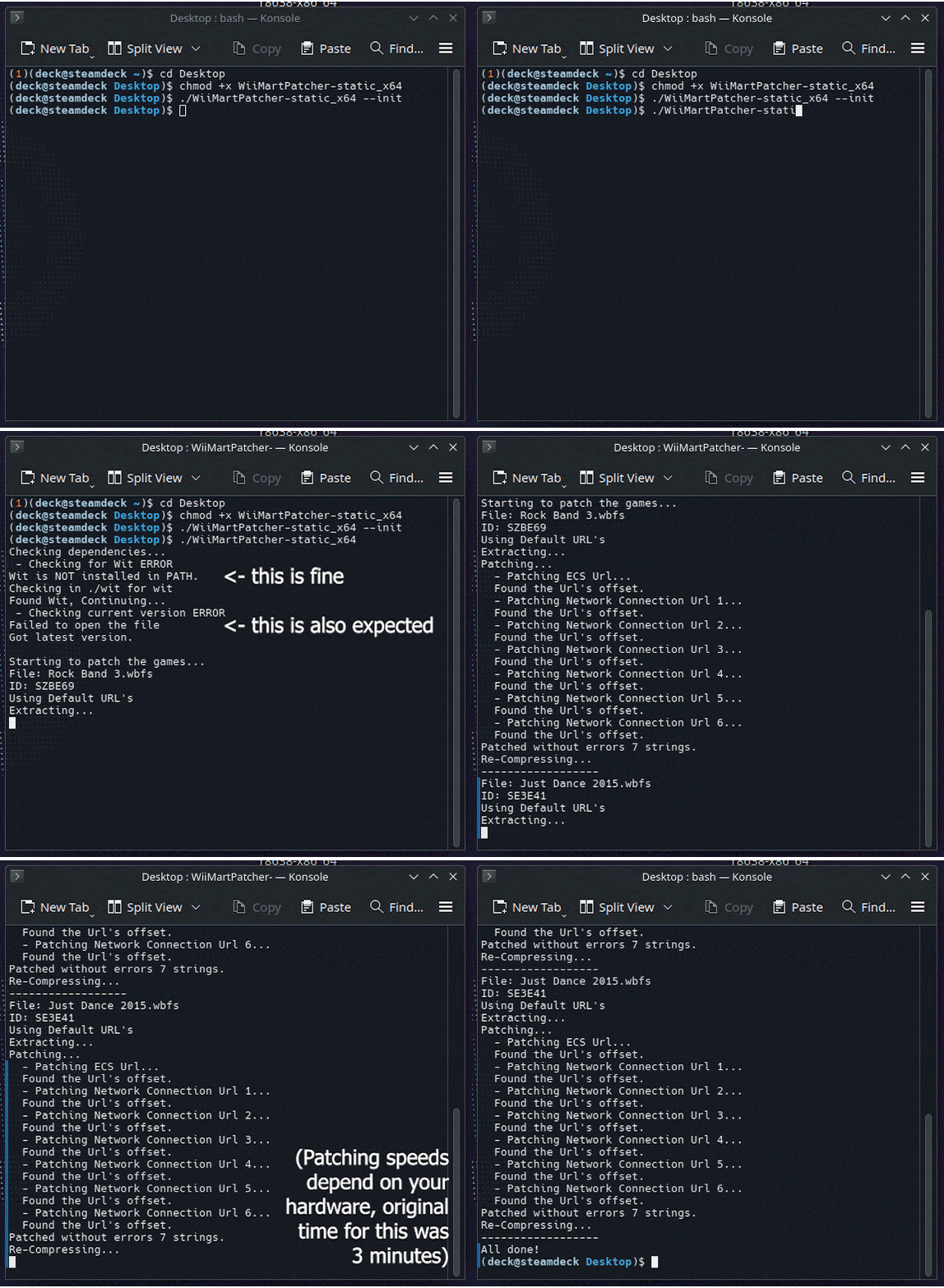
Run the patcher by entering ./WiiMartPatcher-static_x64 (or ./WiiMartPatcher-static_x86 ). It will take some time.
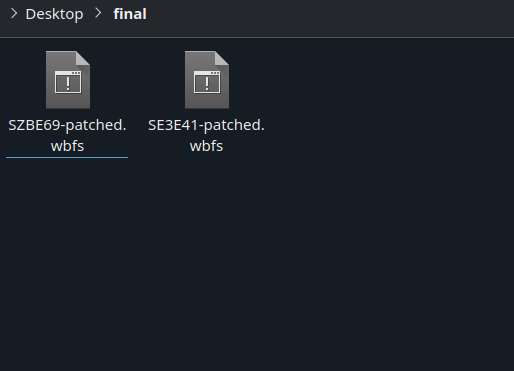
You will find your final WBFS files in the final folder. Take them to an external drive and use them in USB Loader GX, WiiFlow, etc.
See this guide on information on how to structure your files.